
Opens in a new tab

Architectural Sign Fabrication · Typographic signboard

GLYPH

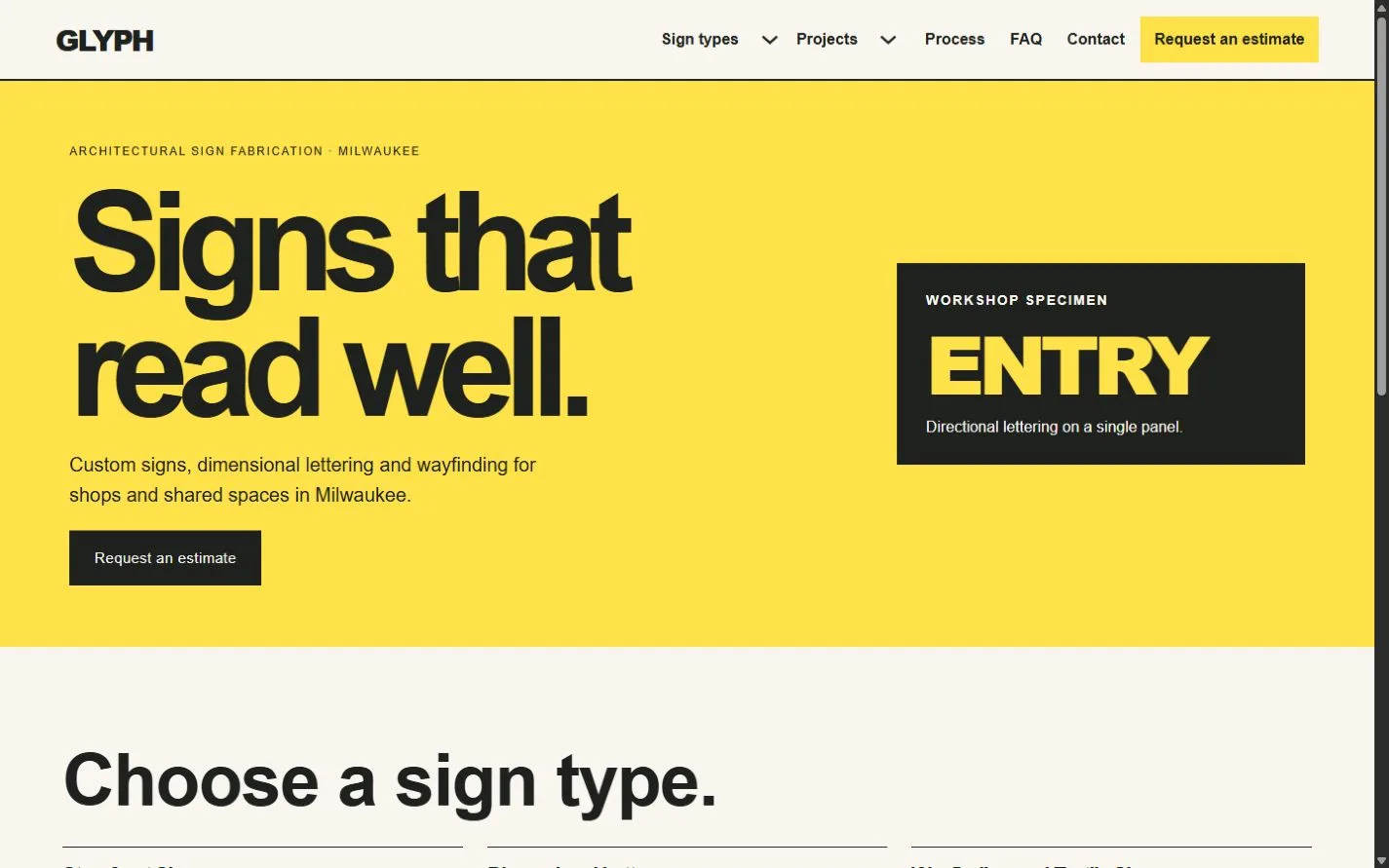
A yellow fabrication poster, editable sign specimens and a dark mobile index make it easy to compare sign types and request an estimate.
For independent sign shops and fabricators

Show what you make, explain the decisions that affect an estimate and help customers prepare artwork, measurements and site information. Project pages show the reasoning behind each sign.

Colors and typography

The named GLYPH palette is included. In Bricks, open Styles → Colors → GLYPH. The HEX values below are selectable.

Canvas

#F8F6EF

Ink

#1E211D

Surface

#DEDED3

Accent

#FFE14A

White

#FFFFFF

Type styles

Arial Bold (700) for headings and Arial Regular (400) for body text. Both are system fonts.

Customize colors and fonts in Bricks

What to configure before launch

Replace the fictional portfolio, survey area, lead times and contact information. Describe who handles permits, electrical work and installation for your jobs. Configure the native form recipient and test both confirmation routes. Use a secure artwork transfer service if customers need to send private plans. Obtain approval before fabricating and add payment or proofing only with your chosen provider.

Requires a separately licensed Bricks installation. The download includes photo credits and the route map.

Read the template license
GLYPH actual homepage preview for architectural sign fabrication

Every page.
One personality.

22 complete business-page designs plus a native header and footer. Includes system typography, a native palette, responsive layouts, a Bricks mobile menu and real FAQ buttons.

BRICKS 2.4.5 · NO DESIGN ADD-ONS

Ready for your
own point of view.

The ZIP includes a native unified Bricks package, a page route map and a setup guide. Your Bricks theme license is separate.

Import the inner package through Bricks Settings → Import/Export, then create your pages from the saved designs. Add accurate business details, review the illustrative policies and verify form delivery before publishing.

Read the setup guide