
Opens in a new tab

Photo & Video Digitization · Family media contact sheet

SCAN

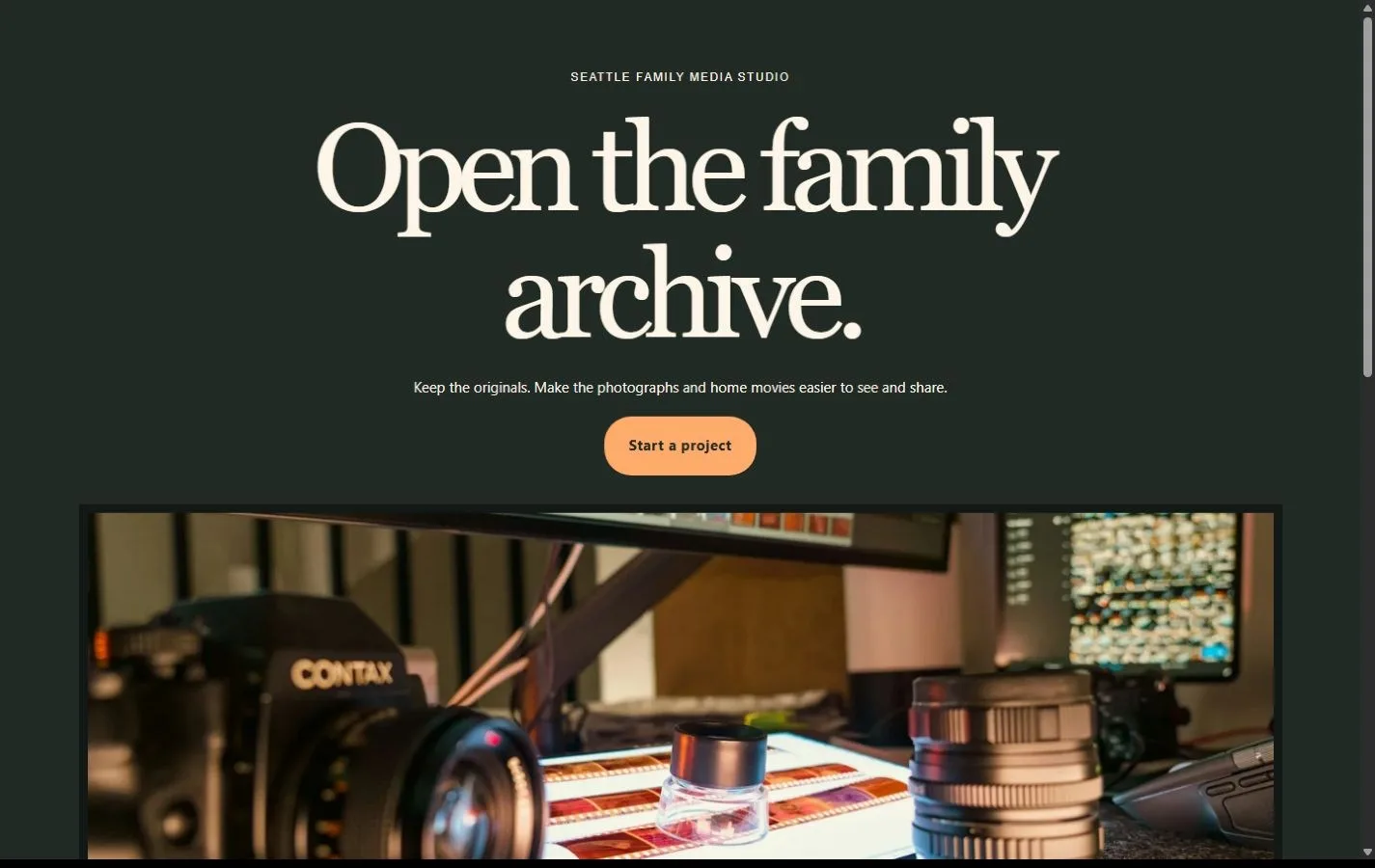
A warm contact sheet pairs film imagery with format guides, clear estimates and a careful handoff for family media.
Made for independent digitization studios.

SCAN gives families a way to identify their media, compare file options, understand how originals are handled and start an estimate without sharing private files on an enquiry form.

Colors and typography

The named SCAN palette is included. In Bricks, open Styles → Colors → SCAN. The HEX values below are selectable.

Canvas

#FCF5E8

Ink

#222A25

Surface

#DAE4DC

Accent

#FFAB6C

White

#FFFFFF

Type styles

Georgia Regular (400) is the display face. Arial Regular (400) is used for body copy and bold Arial for controls. Both are system fonts.

Customize colors and fonts in Bricks

What to configure before launch

Replace accepted media formats, service rates, condition and rights policies, return of originals, file delivery and retention periods, hours and contact information. Configure notification recipients and test both native forms. File uploads, private delivery, payments and shipping require separate setup.

Requires a separately licensed Bricks installation. The download includes photo credits and the route map.

Read the template license
SCAN actual homepage preview for photo & video digitization

Every page.
One personality.

22 complete business-page designs plus a native header and footer. Includes system typography, a native palette, responsive layouts, a Bricks mobile menu and real FAQ buttons.

BRICKS 2.4.5 · NO DESIGN ADD-ONS

Ready for your
own point of view.

The ZIP includes a native unified Bricks package, a page route map and a setup guide. Your Bricks theme license is separate.

Import the inner package through Bricks Settings → Import/Export, then create your pages from the saved designs. Add accurate business details, review the illustrative policies and verify form delivery before publishing.

Read the setup guide