
Commercial Interior Plantscaping · Interior planting field notes

FROND

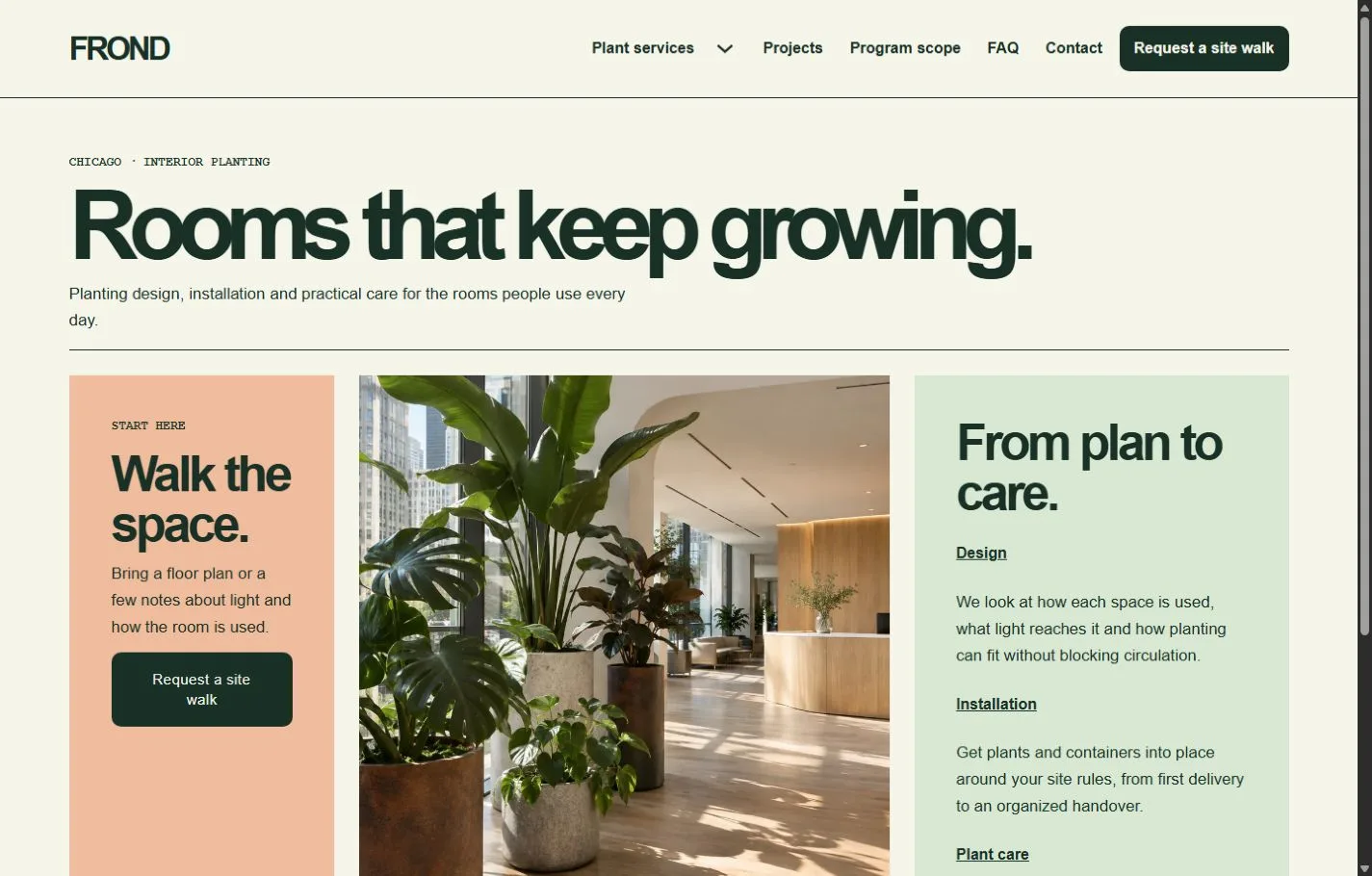
A tall office photograph, a compact field-note column and evergreen typography put light, circulation and recurring care at the center of this commercial planting kit.
For workplace planting teams

Connect the site walk, planting plan and ongoing care so facility teams understand what is involved and who owns each responsibility.

Colors and typography

The named FROND palette is included. In Bricks, open Styles → Colors → FROND. The HEX values below are selectable.

Canvas

#F5F5EA

Ink

#193027

Surface

#D8E8D2

Accent

#EFBD9D

White

#FFFFFF

Type styles

Arial Bold for headings and Arial for text, navigation and forms. Uses system fonts.

Customize colors and fonts in Bricks

What to configure before launch

Replace the sample area, access and project details. Confirm purchase or leasing, installation responsibilities, visit cadence and replacement terms in writing. Set both form recipients and verify delivery and confirmations before publishing.

Requires a separately licensed Bricks installation. The download includes photo credits and the route map.

Read the template license
FROND actual homepage preview for commercial interior plantscaping

Every page.
One personality.

16 complete business-page designs plus a native header and footer. Includes system typography, a native palette, responsive layouts, a Bricks mobile menu and real FAQ buttons.

BRICKS 2.4.5 · NO DESIGN ADD-ONS

Ready for your
own point of view.

The ZIP includes a native unified Bricks package, a page route map and a setup guide. Your Bricks theme license is separate.

Import the inner package through Bricks Settings → Import/Export, then create your pages from the saved designs. Add accurate business details, review the illustrative policies and verify form delivery before publishing.

Read the setup guide